


DEPRAG Operator’s Guide (DOG)
DEPRAG Operator’s Guide (DOG)
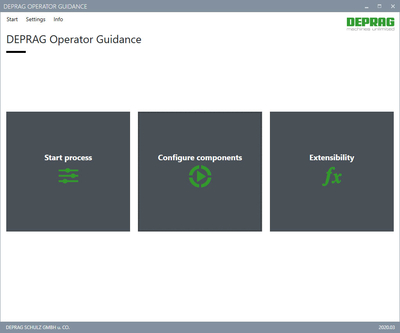
Complex sequences simplified: The DEPRAG Operator Guidance App guides the operator step-by-step through the assembly process. The software allows the creation of any number of digital assembly guides. This means that product assembly is faster and more intuitive. The software is not only suitable for direct operator guidance and quick training of new workers, but also features automatic documentation of data processing.
Intuitive instructions: fast and reliable assembly
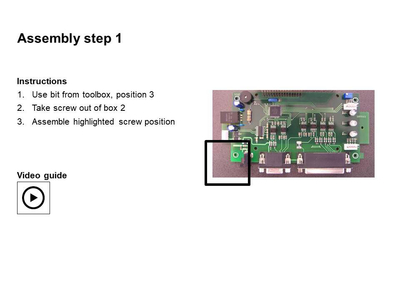
A PowerPoint presentation is created with individual assembly steps for each component. The flexibility of PowerPoint means that versatile display options are available: text, images, videos or audio files can be added with ease. Any number of components or product groups can be configured – and all without programming skills!
Whether the worker scans the serial number of the component to be processed or enters it manually, the software automatically provides the corresponding digital assembly guide.
With DEPRAG operator guidance, different screwdriving programs can be linked in a sequence without using a higher-level PLC. A separate screwing program is saved for each individual screw position. As soon as the screw position is reached, the corresponding screwing program is activated in the DEPRAG sequence controller. The automatic monitoring of each screw position detects a correct or incorrect result. Depending on the assembly result and the configured rules, the worker is shown another step in the procedure. This enables fast, error-free assembly and maximum process reliability.
To monitor the screw positions, a DEPRAG position monitoring bracket can be used as standard.
In addition to screw mounting, there are other options available, e.g. gluing, pressing, etc.
Digital communication platform
The software enables the monitoring and analysis of the bolting controllers as well as the bolting results and provides analysis tools for continuous optimization of processing and recognition of production trends. Storing reference curves and intelligent algorithms means that potentials can be recognized at an early stage. Operating times can be maximized thanks to comprehensive documentation and automatic notifications.
Automatic archiving and documentation of processing data.
Complete traceability in the documentation of production data is becoming increasingly vital. The DEPRAG Operator’s Guide enables centralized archiving and storage of process data for each component – in a unit or in the DEPRAG Cockpit. Manual data collection is eliminated.
The processing data and the screwdriving results are automatically matched to the serial number of the component. For each serial number, the bolting position is saved with the relevant end values. This ensures complete traceability and transparency.
The software allows the integration of customer-specific updates, so-called plug-ins. The customer can integrate his own processes and programs for defined events (e.g. component successfully assembled, screw position successfully assembled). There are options for e.g. communication with the customer’s individual MES system, transfer of end values, display of additional instructions or similar.
Application examples
The software is the ideal solution to increase process reliability on simple manual workstations without a PLC.
It could also be used in repair stations. For example, from the product image, the operator can select the location of the screw to be repaired. The software automatically recognizes the correct screwdriver program.
Advantages
- Maximum flexibility in the creation of any number of mounting rails
- Intuitive operator’s guide: step-by-step through the assembly process
- Fast and efficient training of new employees.
- Increased quality and productivity, as well as reduced error rates and scrap costs by avoiding unnecessary assembly errors.
- Time savings due to automatic documentation of data processing
- Position data, screwdriving results and component serial number can be automatically linked and saved
- Automatic saving of bolting curves
- User management ensures process reliability


